Keep an ASCII treatment readable
ASCII replaces analyzed image cells with glyph coverage. The source still provides tone, edges and possibly color. Start with one effect attachment and compare the ASCII catalog previews before adding other processing.
Choose cells for the output size
Start a new ascii.py with your own assets/photo.png; the next Python block
continues this project:
The render calls below use overwrite=True; rerunning a script replaces its
named output files.
from vestra import Image, Project
from vestra.effects import Ascii, CHARACTER_SETS

project = Project(
    size=(640, 360),
    fps=30,
    duration=2,
)

photo = project.root.add(Image("assets/photo.png"))

letters = photo.effects.add(
    Ascii(
        characters=CHARACTER_SETS["dense"],
        cell_width=8,
        cell_height=12,
        mode="hybrid",
        color_mode="source",
        background="#00000000",
        source_mix=0.15,
    )
)
At 640×360, 8×12 cells create about 80 columns and 30 rows. Larger cells make characters more recognizable but remove source detail. Smaller cells retain features but can become a texture at viewing size. The grid is anchored to the composition canvas: moving the layer moves content through it.
fill expresses cell tone, edges emphasizes contours, and hybrid combines
both. The characters are authored dark to light; duplicates intentionally weight
the density choices. Area analysis reduces unstable choices on thin detail.
Cell sizes round to whole pixels; animate intensity rather than expecting a
continuously changing cell lattice.
Choose color and coverage separately
color_mode="source" uses an alpha-weighted cell color. Sparse glyphs cover
less area than the original, so zero source mixing often looks darker. Raising
source_mix retains more original detail; source_mix=1 restores the input.
Monochrome mode instead uses foreground; palette/rainbow modes color glyphs.
A transparent background keeps glyph-only coverage, constrained by source alpha.
Continue the example to introduce the treatment smoothly:
letters.amount.keyframe(0, 0)
letters.amount.keyframe(1, 1)

project.render("ascii.mp4", backend="cpu", overwrite=True)
Run the combined blocks:
This writes the two-second ascii.mp4 in the current directory, replacing it
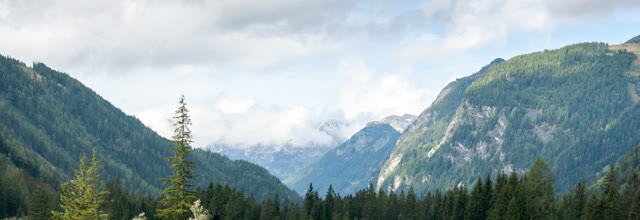
on a rerun. To compare with the catalog photograph, save
landscape-study.jpg beside effects_catalog.py and run
uv run python effects_catalog.py --effect ascii --still. This replaces
effect-ascii.webp in the current directory.
Use a font or geometric marks
font=None uses the bundled licensed font. To use a custom file, construct
Ascii(characters=" .oO#", font="assets/MyFont.ttf", mode="fill") instead.
Preparation checks actual glyph coverage; missing or invisible non-space glyphs
fail with a resource diagnostic. There is no system fallback, ligature or complex
text shaping. This is image analysis into independent glyphs, not a text layout API.
PseudoAscii selects geometric dots, lines and crosses through the same analysis
pipeline without a glyph font. It is a Python convenience over canonical ascii,
not a separate canonical effect. Compare it beside ASCII.
For a diagnostic study of fine detail and source-color darkness, see the generated portrait study. Exact controls and JSON's legacy required-enum exception are in ASCII contracts, generated parameters, and implementation details. Consult feature support for backend evidence.