Reduce colors with palettes and dithering
Use palette mapping when you want a controlled set of colors. Use dithering when intermediate tones should survive as spatial mixtures of those colors. Start with a detailed source: a flat color cannot reveal how a pattern preserves shading. The catalog compares both on one procedural study; this guide explains which controls to change.
Choose how the source finds a color
This example needs your own assets/photo.png. Start a new palette.py; the
remaining Python blocks continue the same project. For a tonal look, supply
opaque colors from dark to light:
The render calls below use overwrite=True; rerunning a script replaces its
named output files.
from vestra import Image, Project
from vestra.effects import OrderedDither

project = Project(
    size=(640, 360),
    fps=30,
    duration=2,
)

photo = project.root.add(Image("assets/photo.png"))

palette = ("#101b32", "#476b80", "#d6a46b", "#fff2cf")
look = photo.effects.add(
    OrderedDither(palette=palette, matrix="bayer8", scale=1)
)
Keep the returned look handle when adjusting it.
For the photographic comparison download the catalog source
and landscape-study.jpg
into the same directory, then run
uv run python effects_catalog.py --effect ordered-dither --still. This replaces
effect-ordered-dither.webp in the current directory.
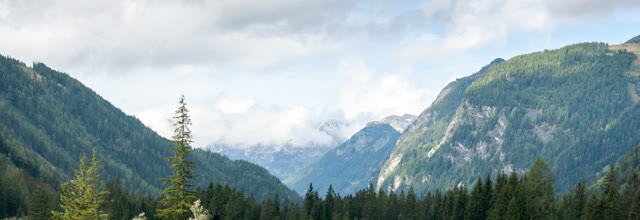
PaletteMap(mode="gradient") interpolates between tonal colors;
mode="nearest" produces tonal bands. Ordered Dither selects discrete palette
colors using a fixed output-pixel threshold pattern. strength=0 becomes nearest
quantization; at full strength the pattern preserves intermediate tone spatially.
| Goal | Mode or setting |
|---|---|
| A dark-to-light authored treatment | gradient / nearest; ordered tonal colors |
| Match an arbitrary colored palette | nearest_rgb, nearest_hue or nearest_oklab |
| Reduce each RGB channel independently | rgb_channels, with levels=4 for 64 RGB combinations |
| Fine regular pattern | matrix="bayer8", scale=1 |
| Less regular fine texture | matrix="blue_noise", seed=37, scale=1 |
RGB matching uses encoded channel distances. Hue matching emphasizes hue and saturation; Oklab matching approximates lightness and chroma together. Compare on your own image rather than assuming one mode always looks better. Chromatic palettes need no tonal ordering. Channel mode ignores palette, phase and period.
Separate pattern size from input detail
The dither scale changes the threshold pattern, anchored to the output canvas.
Large values make visible blocks. input_scale changes how much source detail is
analyzed, independently of that pattern. input_filter="area" averages a cell;
nearest selects one pixel and can miss fine lines; linear samples the center
with interpolation. Keep both scales at one when preserving fine detail.
The blue-noise seed shifts and reflects the same seamless 32×32 tile. It stays fixed as footage moves, rather than creating fresh noise each frame. Bayer ignores the seed. Both patterns are fixed in output coordinates after transform.
Lift tone before quantizing
A dark recording may occupy only the lowest palette interval. Lift its midtones before deciding it needs more colors:
look.input_exposure = 0.5
look.input_gamma = 1.5
look.input_detail_radius = 1
look.input_detail = 1.5
Gamma above one lifts midtones. Exposure can clip bright areas; watch the light
steps in the original. Detail enhancement sharpens local differences before
quantization: radius 1 targets fine features; a radius around 8 with amount 0.5
is a starting point for broader local contrast. These are input controls, so a
partial amount still blends against the original image. Detail/tone processing
adds full-frame work; use neutral defaults when it is unnecessary.
Place colors unevenly
Use stops when a useful shadow color needs more tonal room:
Stops are static positions, one per color, increasing from zero to one. They
apply only to tonal gradient/nearest modes. look.stops = None restores
uniform positions. Colors do not sort themselves. interpolation="oklab"
changes smooth palette interpolation and palette animation; the dither output
still consists of discrete evaluated palette colors.
Animate a treatment
Use amount to fade the look in, or phase to move colors through the palette.
An optional positive period repeats procedural color phase; it does not loop
the source footage or audio. Static settings such as mode and matrix do not
interpolate. Continue the example:
look.amount.keyframe(0, 0)
look.amount.keyframe(1, 1)

project.render("palette.mp4", backend="cpu", overwrite=True)
Run the combined blocks:
This writes palette.mp4 in the current directory and replaces it on a rerun.
Compare the first and last seconds to see intensity grow independently of the
threshold pattern. For moving footage and perceptual palette comparisons,
see the existing reproducible stylization studies.
Find exact ranges and static/bindable distinctions in parameters, shared palette contracts, numerical algorithms, and backend evidence.